Git Flow
Table Of Contents
Getting Started
This is our guide for contributing to SchoolStatus projects. These steps are based on this article.
Step 1: Setup a local copy on your computer
Fork project
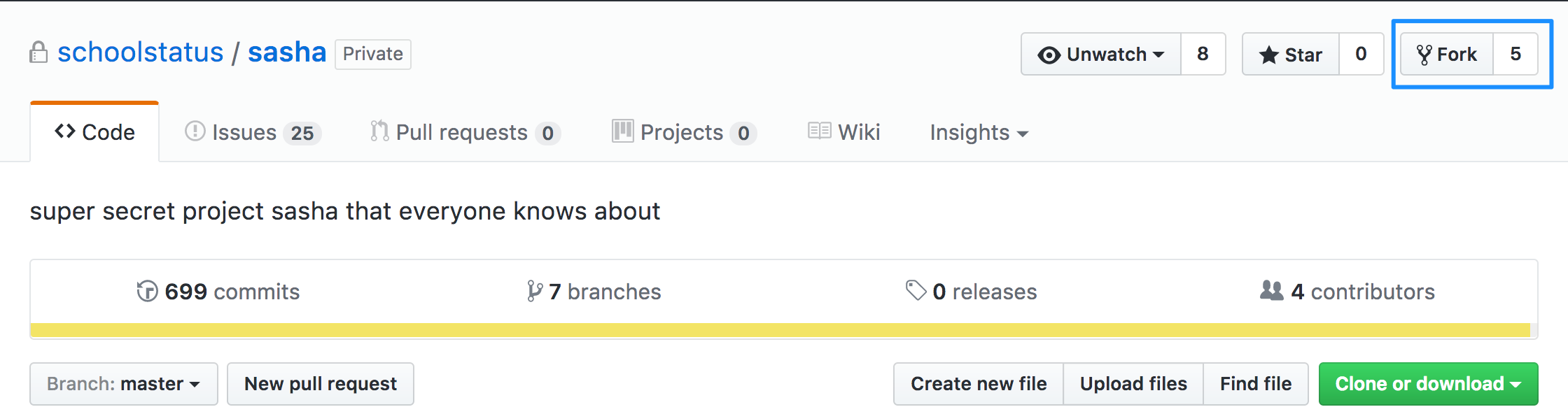
Clone forked project to your local machine. Use ssh link.
$ git clone git@github.com:mujuni88/sasha.git
cd sashaSetup remote so that you can point to the original project to retrieve any new changes to your local copy.
git remote add upstream git@github.com:schoolstatus/sasha.git
Step 2: Working on a feature
Fix the thing you are working on.
Todo
- Make sure you are on the correct branch
git checkout branch - Sync your local copy with upstream copy
git pull. Thengit pushto sync to your forked copy. - Create your new branch. Prefix branch with
hotfix/orfeature/
General rule of thumb:
Working on a bug in production?
create a branch from master
 $ git checkout master
 $ git pull upstream master && git push origin master
 $ git checkout -b hotfix/readme-update
Working on a new feature?
create a branch from dev
 $ git checkout dev
 $ git pull upstream dev && git push origin dev
 $ git checkout -b feature/new-content
Not sure how to write commit messages? Read Linell's post.
Step 3: Create a PR
- push your branch to the origin remote one
$ git push -u origin hotfix/readme-update - Click New pull request

Testing Pull Request
Instructions referenced from how to test-a-pull-request.

- Identify the PR number and branchname
- Ensure you are working on a clean directory by doing
git status - Get a copy of the PR
git fetch upstream pull/347/head:feature/showmore - When done checking out their work, use
git checkout masterto return to your local branch.
or you could create an alias
Copy/paste each line (one at a time) to gitbash or terminal window.
git config --global --add alias.pr '!f() { git fetch -fu ${2:-upstream} refs/pull/$1/head:pr/$1 && git checkout pr/$1; }; f'
and
git config --global --add alias.pr-clean '!git checkout master ; git for-each-ref refs/heads/pr/* --format="%(refname)" | while read ref ; do branch=${ref#refs/heads/} ; git branch -D $branch ; done'
Once created the aliases are used as shown below.
To pull a pull request: git pr <id> to use the example above git pr 123
To delete all the pull requests created with git pr alias use: git pr-clean